
How to Start a Small Business Using Cricut Machines
 Admin
Admin
If you’ve ever dreamed of turning your creativity into a profitable venture, starting a small business with a Cricut machine might be the perfect opportunity. These smart cutting machines make it easy to create professional-quality, personalized products from the comfort of your home.
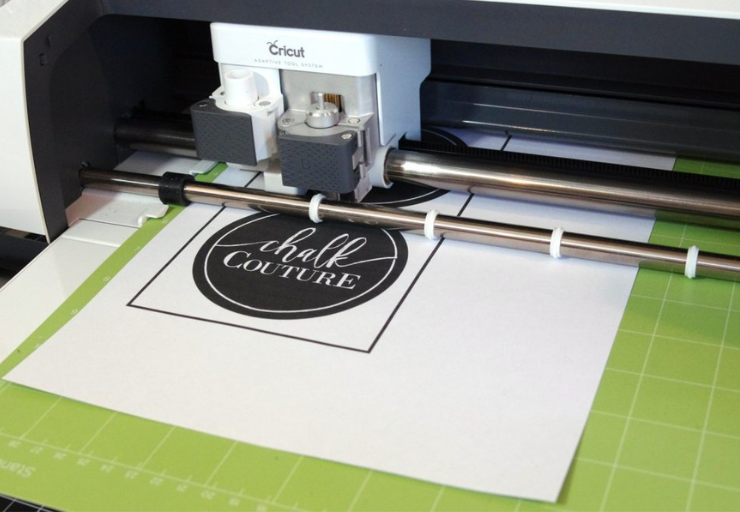
Hello people, I know you have been trying to start a small business that lets you work from home and earn money. Starting a small business from home has become more accessible than ever, especially with the growing popularity of the DIY and handmade market. In recent years, many people have shifted their interest toward personalized products rather than mass-produced items.
However, many people do get confused about starting the business. If you are confused about which business to go into, here is the best one. You can take a cutting machine developed by Cricut. The smart Cricut machines allow users to cut intricate designs from materials like vinyl, paper, fabric, and even thin wood with remarkable precision.
What is a Cricut Machine
A Cricut machine is a smart electronic cutting device that helps users make precise designs for crafts and personalized products. Instead of printing like a regular printer, the machine uses a small blade to cut shapes, patterns, and text from different materials. The Cricut machines work together with the design software Cricut Design Space. In this software, users can create or upload designs, customize them, and then send the design to the Cricut machine for cutting. The machine follows the digital instructions and cuts the design accurately.
Top Cricut Machine You Need To Look At
Here are some machines that you can use for your small business..
Cricut Explore 5
If you’re looking for a crafting machine that can help turn creative ideas into real products, the Cricut Explore 5 is a great place to start. It’s one of the newest cutting machines from Cricut, designed to make DIY projects easier, faster, and more accessible, even for beginners.
It`s like a creative assistant for your craft projects. Instead of cutting shapes by hand with scissors, this machine follows your digital design and cuts it with incredible precision. This means you can easily create things like custom decals, personalized clothing, greeting cards, and full-color stickers without needing professional crafting skills.
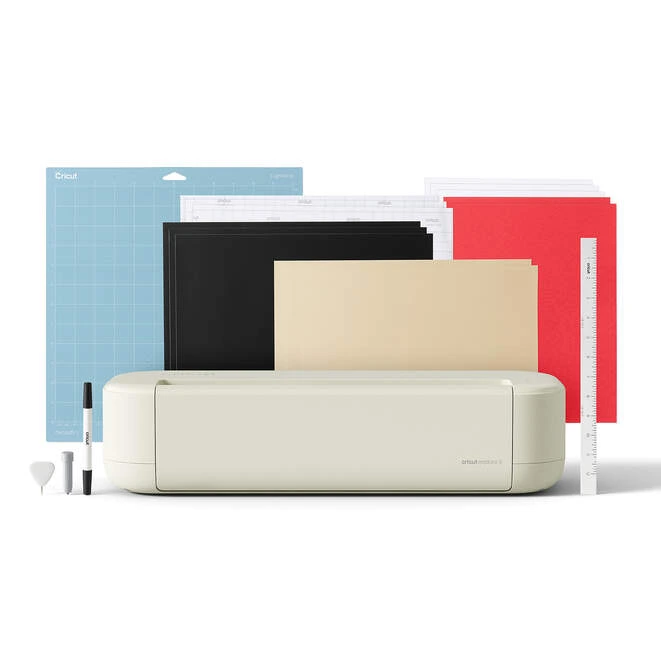
What makes the Cricut Explore 5 especially appealing is how simple it is to use. The machine connects to your phone, tablet, or computer via Bluetooth and works with the design app called Cricut Design Space. Inside the app, you can create your own designs, upload images, or choose from thousands of ready-made templates.
Once your design is ready, the machine automatically cuts it for you. Another great feature is its versatility. The Cricut Explore 5 can cut more than 100 different materials, including vinyl, iron-on materials, cardstock, and printable papers. This allows you to create a wide range of projects, from wall decals and custom T-shirts to stickers and invitations.
Cricut Maker 4
If you’re serious about crafting or planning to start a handmade business, the Cricut Maker 4 is one of the most advanced cutting machines available from Cricut. It’s designed to help creators turn simple ideas into professional-looking products. At its core, the Cricut Maker 4 works with the design software Cricut Design Space.
You simply create or upload a design in the app using your computer, tablet, or smartphone, and the machine automatically cuts the design for you. Whether you want to create custom T-shirts, stickers, greeting cards, or decorative home items, the Maker 4 makes the process incredibly simple, even if you’re new to crafting.
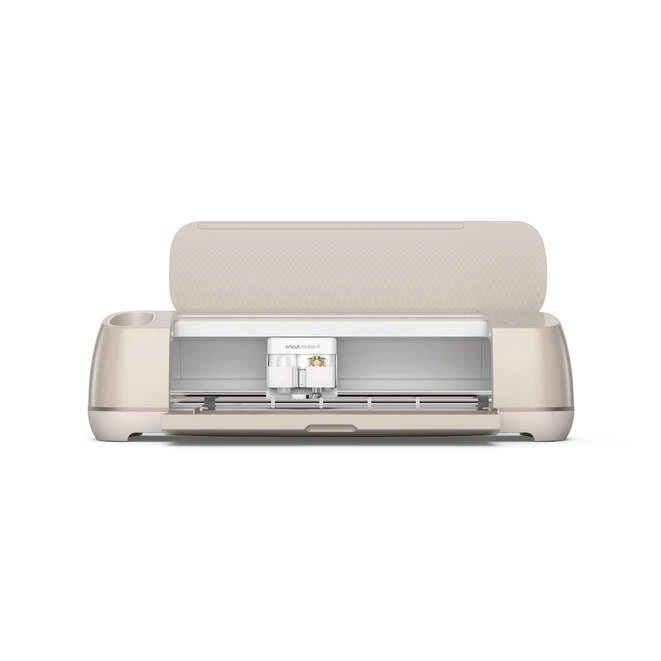
One of the biggest advantages of the Cricut Maker 4 is its versatility. The machine can work with over 300 different materials, including vinyl, iron-on, cardstock, leather, and poster board. This means you’re not limited to one type of project; you can experiment with a wide variety of creative ideas and products. Another impressive feature is the machine’s ability to do more than just cut.
With the right tools, the Cricut Maker 4 can write, draw, engrave, deboss, foil, and score materials, allowing you to add extra detail and creativity to your designs. These capabilities make it ideal for creating intricate crafts, custom gifts, and even products for a small business.
How to Create Your First Product
Creating your first product with a Cricut machine is simple when you follow a few basic steps. Here’s a quick guide to help you get started.
Choose a Product Idea
Start by deciding what you want to make. Simple items like custom T-shirts, stickers, greeting cards, or mugs are great options for beginners.
Design Your Product
Create your design using Cricut Design Space. You can add text, shapes, or images and adjust them until the design looks the way you want.
Cut the Design
Place your material on the cutting mat and load it into your machine from Cricut. Send the design from the software, and the machine will cut it precisely.
Apply the Design
Transfer the cut design onto your product. For example, vinyl can be applied to mugs or glass, while heat transfer vinyl can be pressed onto fabric.
Package the Product
Finally, package your item neatly using boxes or protective sleeves. Adding a thank-you note or branding can make your product look more professional.
Where to Sell Your Cricut Products
Here are some platforms where you can sell your product..
Online Platforms
Etsy
Shopify
Amazon
Social Media
Instagram
Facebook
TikTok
Local Sales
Craft fairs
Local markets
Custom orders
Starting a small business using a machine from Cricut can be a fun and profitable way to turn creativity into income. With the help of tools like Cricut Design Space, you can easily design, create, and sell personalized handmade products from home. The key to success is starting with simple projects, using quality materials, and gradually improving your skills. With patience and consistency, your crafting hobby can grow into a successful small business. And check out Cricut`s discounted deals for more budget-friendly shopping.
Stay tuned to DiscountsArena for more updates on small businesses.